

For advertisers with multiple types of campaigns and advertising goals, reporting is a time-consuming task. To make your reporting easier, Google will be rolling out three new reporting features across multiple campaign types.
With these three new reporting features, you’ll now be able to easily
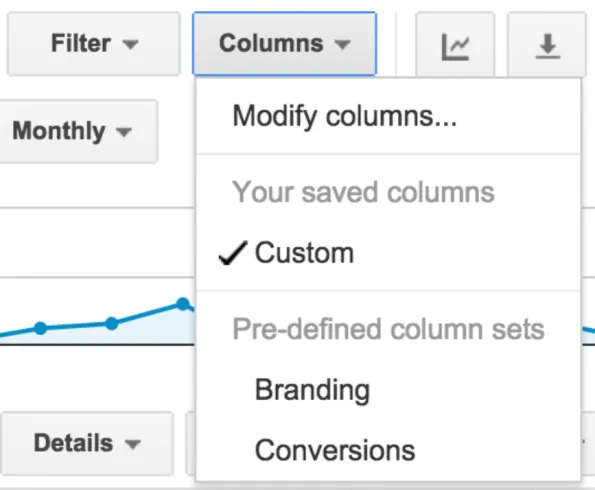 The columns within your statistics table will update to reflect the recommended column set. And, you can always get back to your last column selection by choosing Custom from the "Columns" drop-down menu.
- Filter by Campaign Type
- More Relevant Columns
- Pre-defined Column Sets
1. Filter by Campaign Type
The Filter by campaign type save your time by lets you quickly filter your account by campaign type, like Shopping or Display Network campaigns. To use this feature:- Sign into your AdWords account.
- Click the drop-down arrow next to "All campaigns" in the side navigation menu.
- Change the campaign type in the drop-down menu to only see performance data for that campaign type in your statistics table.
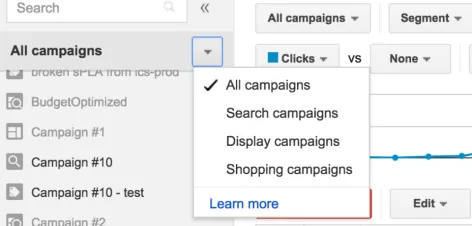
You'll only be able to select a given campaign type if your account actually contains that type of campaign.
2. More Relevant Columns
This option will save your time by immediately showing your last viewed columns which will be stored by both tab (campaign, ad group or keywords) and campaign type. Example from Google: Let’s say you choose to add the Avg. CPM column on the Ad groups tab when looking at one of your Display Network campaigns. Later, when you view one or more campaigns of that same type in the same tab, we'll show the same columns you chose previously. So in this case, the next time you look at the Ad groups tab for any Display Network campaign, your columns will include the Avg. CPM column.3. Pre-defined Column Sets
If have lots of campaigns of the same type with different goals, this option will make it faster and easier to view data for specific advertising goals Example from Google: Let's say you have several Display Network campaigns, each with a different brand or performance goal. To make analyzing performance for these campaigns simpler and faster, you can now use pre-defined column sets. These recommended campaign type column sets include columns selected frequently by advertisers. You can access these through the customize columns menu. To use this feature:- Sign into your AdWords account.
- Select a specific campaign or use the campaign selector to only see campaigns of the same type.
- Within your campaign reporting view, click the Columns button in the toolbar above the statistics table.
- Select a column set based on your advertising goals (views, branding, etc.).
The columns within your statistics table will update to reflect the recommended column set. And, you can always get back to your last column selection by choosing Custom from the "Columns" drop-down menu. SignalShift™
Get the monthly briefing
One high-signal edition a month on B2B growth, AI search, and agentic marketing. No noise, unsubscribe anytime.